ONDECK / BASEBALL SWING ANALYSIS

See the swing.
Know the work.

Record a swing. Review what happened. Take a clearer focus into the next rep.

Explore the app
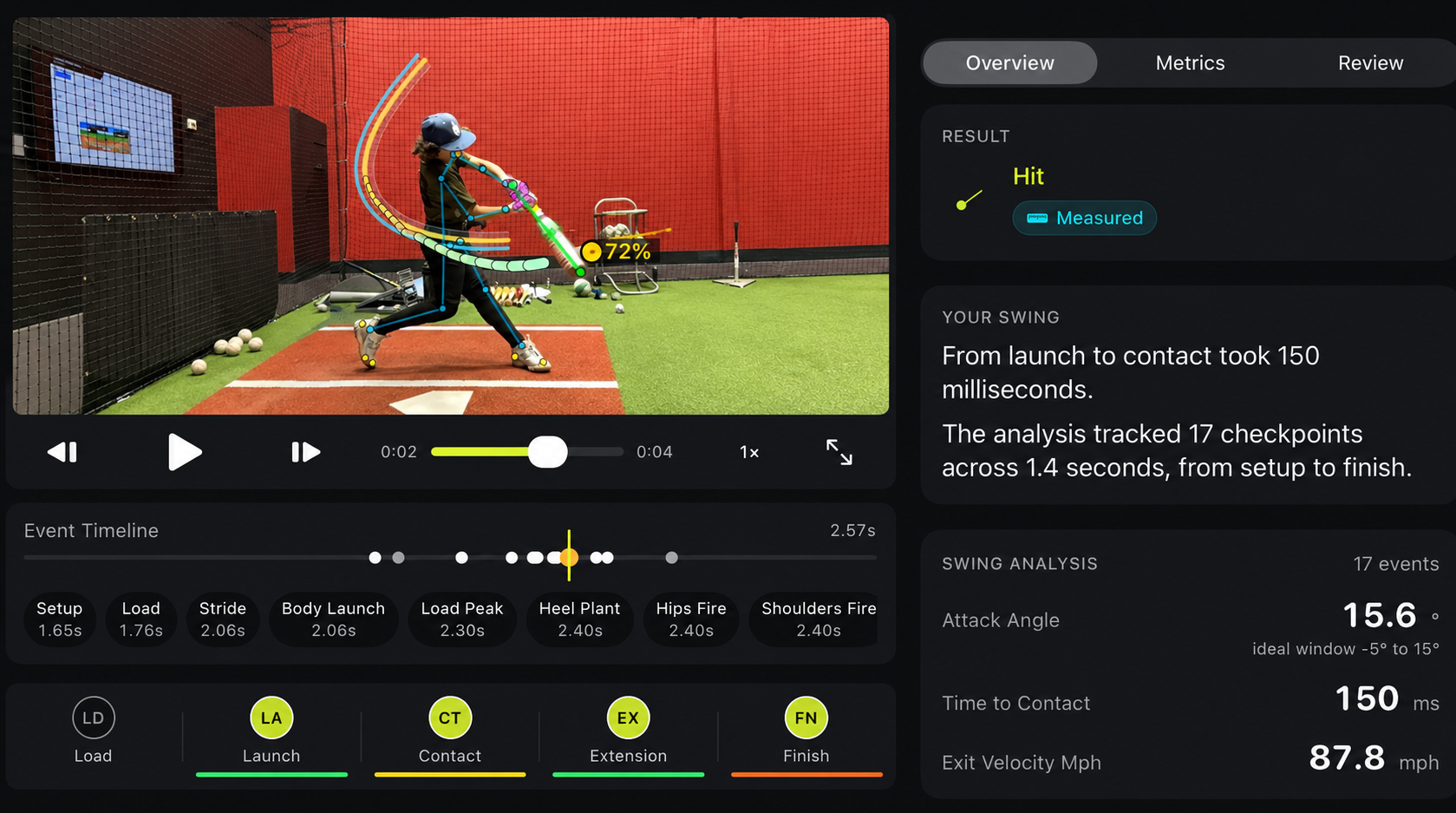
A hitter's swing video with OnDeck tracking lines visible over the athlete.
01 / SWING RESULTACTUAL APP CAPTURE · OVERLAY ON
THE EVIDENCE01 / 03

The frame.
The facts.

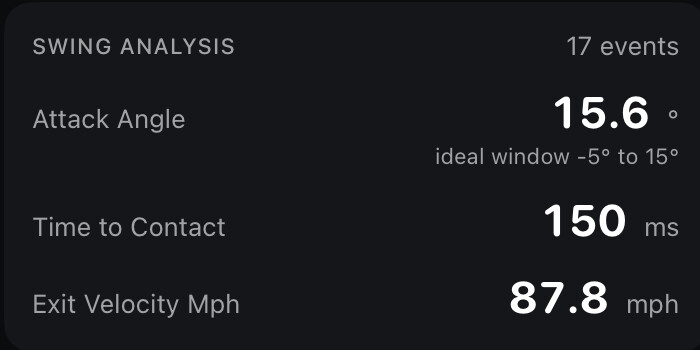
Scrub the captured video with the overlay on, then read the measurements attached to that swing.

An actual frame of a hitter’s swing with OnDeck’s colored tracking overlay visible over the athlete.
01 / VIDEO + OVERLAYCONTACT FRAME
Swing Analysis measurements: 15.6 degree attack angle, 150 millisecond time to contact, and 87.8 mile per hour exit velocity.
02 / MEASURED METRICSTHIS SWING
THE AI COACH02 / 03

REP ROOM / FROM THIS SWING

Ask what to
work on next.

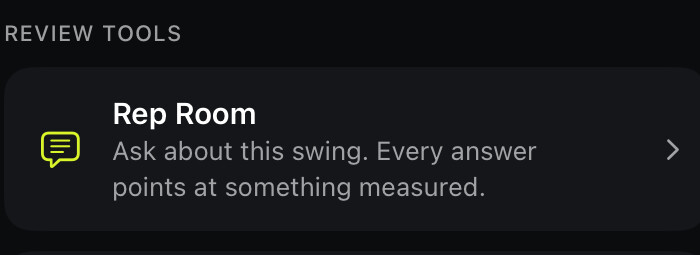
Rep Room is where you can ask about a swing. Its answers are designed to point back to measured evidence.

The OnDeck Review screen's Rep Room entry invites athletes to ask about a swing and says answers point to measured details.
03 / AI COACH · REP ROOMACTUAL APP CAPTURE
THE EXPERIENCE03 / 03

From swing
to next rep.

One place to start, review, and come back to the work.

01 / CAPTURE

Record the swing.

Use the camera or bring in a video you already have.

02 / REVIEW

See what happened.

Watch the swing alongside its measured moments and details.

03 / RETURN

Carry it forward.

Come back to your results with a focus for the next rep.

ONDECK / COMING SOON

Your next swing
starts here.

Coming to the App Store

Questions? Contact OnDeck support.